






Visitor Management Kiosk: Automating Self-Service Lobby Check-Ins
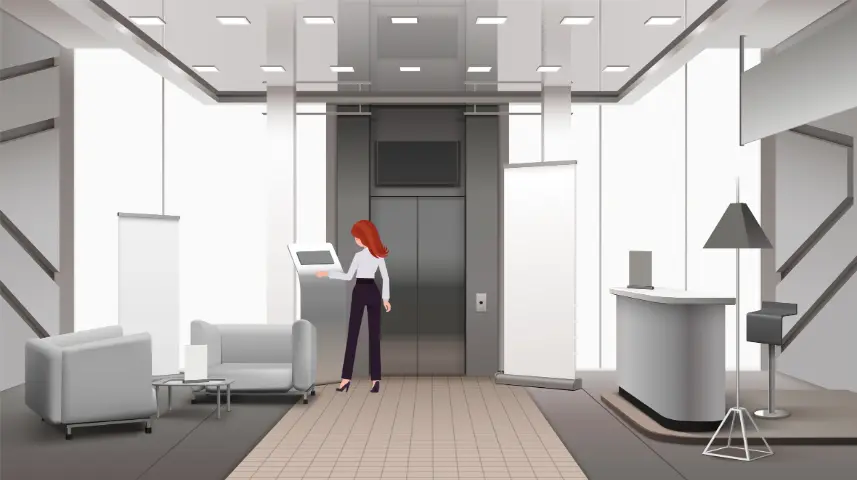
A visitor management kiosk allows visitors to complete their own check-in at the reception without waiting for manual registration. Through self-registration, visitors can enter their details, verify their identity, notify their host, and receive an access pass. This mode of check-in, complements other visitor entry modes to reduce reception workload and shorten queues, giving organisations better control over visitor entry.
However, not all visitor kiosks may have all the essential features your company needs. Also, not all lobbies may need a kiosk.
When Do You Need A Visitor Management Kiosk
A visitor management kiosk is a great complement to other modes of visitor check-in. It can be used at any office reception.

However, a dedicated visitor management kiosk is essential in specific environments such as when the reception needs to be operator-independent or visitors cannot (or are not allowed) to use mobile phones. The choice depends on the entrance, visitor profile, security requirements, and available infrastructure.
Self-service visitor kiosks are an essential solution in the following environments.
a) Commercial Towers and IT Parks With Walk-In Visitors
Business parks, multi-tenant towers, and corporate offices receive walk-in clients, couriers, auditors, and vendors who may not have a pre-issued QR code. A kiosk lets them search for a company or host, register their details, and notify the concerned employee.
A kiosk can handle photo capture, visitor badge printing, and turnstile access at the lobby without routing every visitor through a staffed reception desk.
b) Manufacturing Plants, Pharma Units, and Restricted Facilities
Manufacturing facilities, laboratories, pharma units, and data centres may restrict personal smartphones in certain zones. Visitors must complete registration and security formalities before entering restricted areas.
A kiosk can facilitate safety inductions, consent forms, NDA acknowledgements, identity capture, and photo-badge printing at designated entry points.
c) Basement Receptions and Lobbies With Poor Mobile Network Coverage
Mobile check-ins that depend on internet access, SMS OTPs, or browser-based registration can delay visitors at the entrance. Kiosk helps at entry points with weak cellular reception. However, this is not a problem with visitor management systems like VersionX VMS that have offline capabilities.
d) Branch Offices and Entrances With Limited Reception Staff
It goes without saying that facilities with limited reception staff or those that receive visitors outside regular working hours would greatly benefit from a self-registration kiosk.
e) Entrances Serving Visitors Without Smartphones or Requiring Assistance
Drivers, daily vendors, technicians, elderly visitors, and guests may not have a smartphone, a working battery, or the ability to complete mobile registration independently. Smartphone-only check-in can create unnecessary entry delays for them.
A touchscreen kiosk with clear instructions, language options, and guard-assisted registration gives visitors an alternative. It also ensures that the same registration and security procedures apply regardless of the device they carry.
Key Capabilities and Features of an Enterprise Visitor Management Kiosk
Enterprise visitor management kiosks go beyond basic touchscreen registration. There are several types of kiosk as per the hardware and the workflow you need. Each combines different aesthetics with different capabilities such as identity capture, visitor verification, access control, compliance workflows, and badge issuance within a single check-in point.
Visitor Kiosk Hardware Types
- Countertop Kiosk:Compact tablet or touchscreen unit placed on reception desks for space-efficient check-in.
- Tablet Pedestal Kiosk:Tablet mounted on a freestanding floor stand for flexible lobby or waiting-area placement.
- All-in-One Floor-Standing Kiosk:Heavy-duty standalone terminal (15"–32") with integrated badge printer, ID scanner, and QR reader for high-traffic lobbies.
- Wall-Mounted Kiosk:Space-saving fixed terminal installed at narrow corridors, elevator lobbies, or security checkpoints.
- Turnstile / Gate-Mounted Terminal:Compact, ruggedized reader/screen mounted directly on flap barriers or speed gates for instant credential validation.
- Outdoor / Perimeter Kiosk (IP65+):Weatherproof, high-brightness terminal deployed at vehicle gates and factory entrances for driver and vendor check-in.
Visitor Kiosk Workflow Types
- By Entry Mode:Walk-in registration, pre-registered / appointment check-in, VIP express pass, bulk / group event check-in, and visitor check-out.
- By Visitor Persona:Corporate guest, employee, interview candidate, contractor & vendor (with permit-to-vork/safety induction), and courier and material delivery.
- By Verification & Compliance:QR/OTP touchless check-in, government ID / OCR scanning, facial recognition enrollment, watchlist screening, digital NDA signing, and automated badge / access card issuance.
Here are some of the features of a kiosk visitor system.
a) Government ID Scanning and Live Photo Capture
Integrated OCR scanners capture permitted details from Aadhaar, PAN, driving licences, and passports, reducing manual data entry at reception. Live photo capture links the visitor's identity to their registration record.
b) On-the-Spot Badge Printing and Turnstile QR Issuance
Kiosks print visitor badges with names, photographs, host details, and visit information, or issue time-bound QR passes. These passes can integrate with access control systems, flap barriers, and optical turnstiles to regulate entry.
c) Digital NDA Signing and Safety Induction
Visitors can review and acknowledge NDAs, safety instructions, site policies, and other mandatory declarations on-screen before their check-in is approved. Completion records can be stored against the visitor's entry for audit and compliance purposes.
d) Multi-Tenant Company and Host Directory
In commercial towers, IT parks, and shared office buildings, visitors can search for the tenant company, select their host, and initiate a visit request directly from the kiosk. This eliminates the confusion of locating the right office in a multi-company reception area.
e) Offline Resilience and Network Recovery
Local data handling and offline-ready workflows allow kiosks to continue selected registration tasks during temporary internet disruptions, depending on system configuration. Records sync once connectivity is restored, reducing dependence on uninterrupted cloud connectivity at the lobby.
Screen Privacy and DPDP Act Compliance on Shared Lobby Terminals
Visitor management kiosks handle personal information in a shared, public-facing environment. Screen privacy is therefore as important as registration speed. Kiosks must prevent visitors from accessing information left behind by previous users while protecting personal data throughout the check-in process.
Each session should reset immediately after check-in. Input fields, captured images, temporary session data, and browser cache must be cleared, with autocomplete disabled to prevent details from appearing to the next visitor.
The terminal should also run in kiosk lockdown mode, restricting access to the check-in interface and preventing users from opening other applications or accessing local files.
Host lookup should not expose a browsable employee directory. Visitors should be able to search for their intended host using permitted identifiers.
Personal information should be encrypted and sensitive ID details masked wherever full access is unnecessary.
Visitor records must be retained only for the defined purpose and retention period, with deletion procedures aligned with the Digital Personal Data Protection (DPDP) Act, 2023 and applicable rules.
Deploying Self-Service Check-In Kiosks with VersionX
VersionX supports self-service visitor check-in across different entry environments, from compact reception counters to high-traffic corporate lobbies. The VersionX platform works with countertop tablets, floor-standing kiosks, thermal badge printers, and OCR scanners, allowing businesses to configure kiosk setups around their space, visitor volume, and security requirements without rigid proprietary hardware lock-in.
VersionX visitor management and self-entry is connected to access control systems as part of a unified visitor entry process.
Explore VersionX Visitor Management System to understand how these workflows work together.