







How VersionX PTW System Works
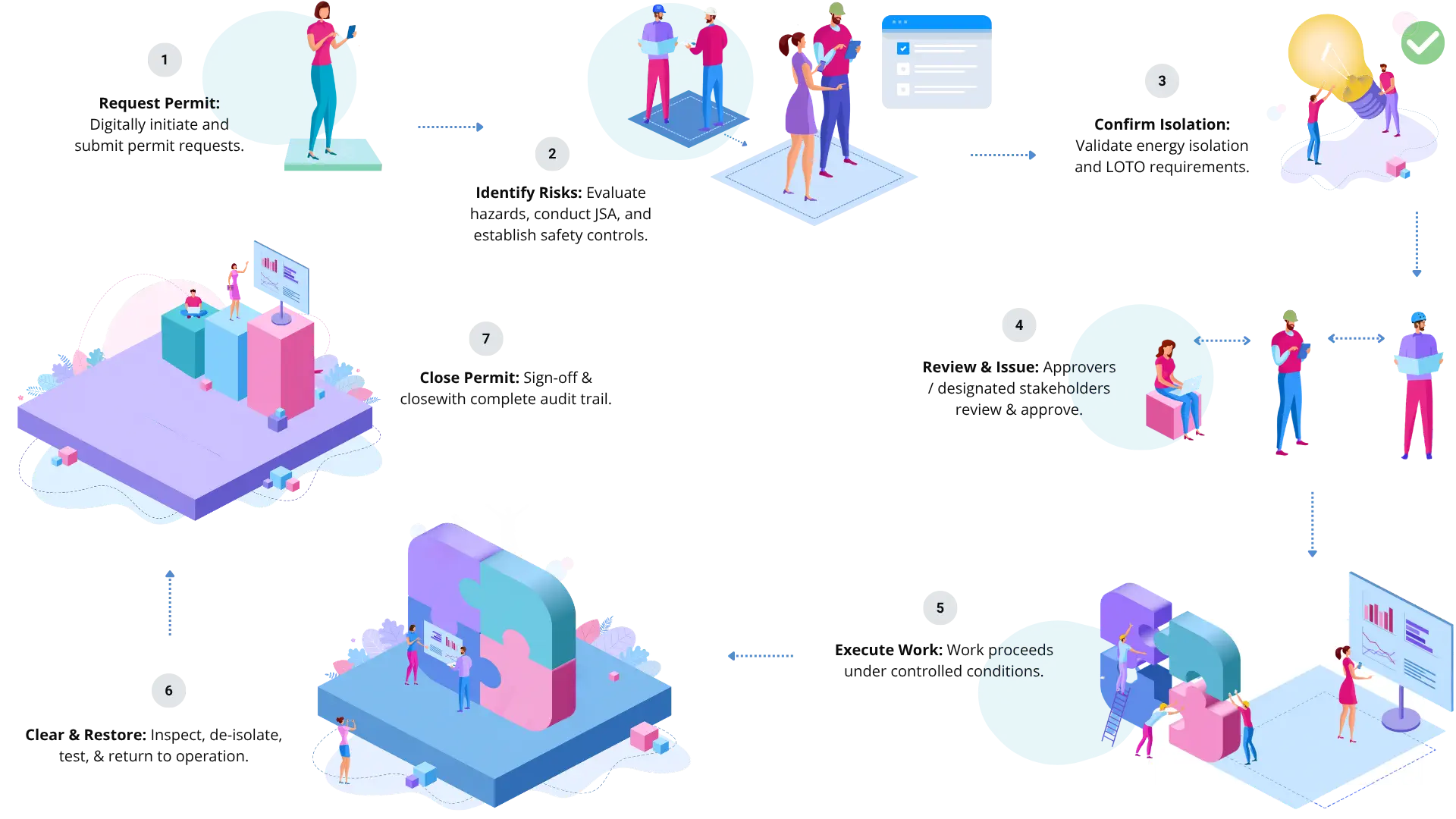
This sequence of PTW applies across industries such as manufacturing, oil and gas, utilities, construction, pharmaceuticals, and facilities management. What varies is the weight each step carries. In high-hazard environments, isolation and verification are the most scrutinized stages. In others, the risk assessment bears the most regulatory load.
Permit types vary by industry and site. A few core types are:
- Hot work permit such as welding, cutting, grinding
- Cold work permit such as non-hot maintenance, repair, construction
- Confined space entry permit such as entry into tanks, vessels, pits, chambers
- Work at height permit such as work where personnel are exposed to fall hazards
- Electrical work permit such as electrical installation, maintenance, testing, or repair
- Excavation or ground disturbance permit such as excavation, trenching, drilling
- Line breaking or breaking containment permit such as opening an equipment containing hazardous materials, pressure, or energy
- Lifting or critical lifting permit such as high-risk lifting operations involving cranes or other lifting equipment
For sites running multiple concurrent activities, VersionX supports simultaneous and overlapping permits across contractors, zones, and teams from a single platform.
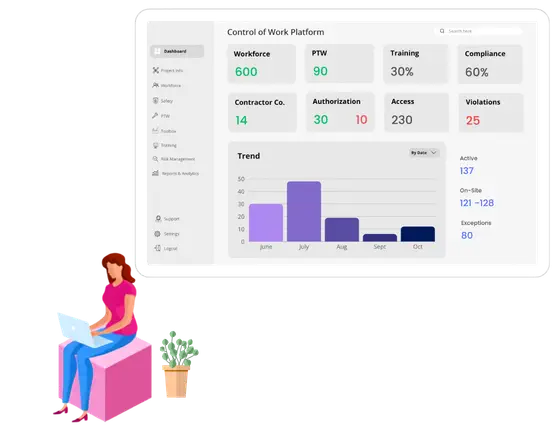

Control of Work: Connected Contractor And Workforce
Connect permit and contractor management in a unified platform.
Maintain contractor onboarding and compliance records alongside permit processes. Track workforce authorization and verification, changes to assignments, and attendance and presence.
Manage your operational environment as part of a single workflow rather than through disconnected processes and records.
Real-time dashboards and tracking provide visibility while analytics and reporting help monitor performance and informed decision-making.
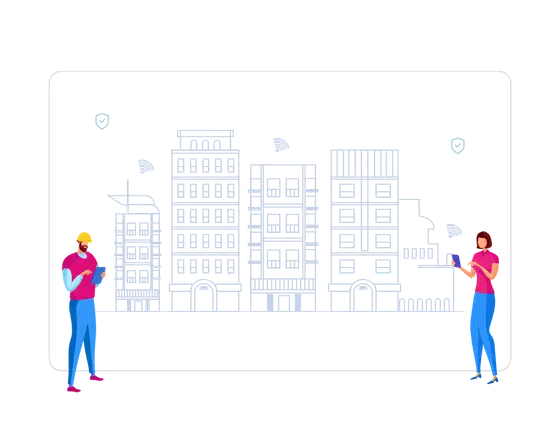

Access Control & Site Authorization
Connect your permits with access control systems to align work authorization with physical access.
Grant access as per site, building, zone, and restricted-area based on approved work activities, assigned personnel, and defined authorization rules.
Provision access rights temporarily. Or, revoke them automatically when permits expire, work is completed, or authorizations change. Eliminate manual administration while improving control, accountability, and visibility.
Key Features of VersionX Permit To Work System
Permit Management

Digital Permit Creation & Lifecycle Management
Digitize the entire permit lifecycle from request to closure.

Permit Templates & Workflows
Standardize work permits with configurable templates and workflows.
Real-Time Permit Tracking & Notifications
Gain real-time visibility into permits with automated alerts.

Centralized Permit Repository
Maintain a single source of truth for all permit records.

Multi-Site Permit Administration
Govern permit operations across multiple sites from one platform.
Risk & Safety Controls

Hazard Identification, Risk Assessment, & JSA
Proactively identify hazards and define controls before work begins.

Safety Controls & Compliance Verification
Ensure required safety controls are implemented before authorization.

Toolbox Talks & Safety Briefings
Document pre-job safety discussions, hazards, and acknowledgements.

SIMOPS Management
Prevent work conflicts by managing simultaneous operations safely.

Site Safety Inspections & Observations
Monitor field activities and verify compliance with permit conditions.
LOTO & Isolation Management
Equipment & Energy Isolation
Manage energy isolations to protect workers during high-risk work.

Lockout/Tagout (LOTO) Workflows
Standardize LOTO procedures with structured digital workflows.

Isolation Verification, Certification & Approvals
Enforce isolation checks and approvals before work authorization.
Equipment Restoration Tracking
Track restoration activities to safely return assets to service.
Approval Workflow & Governance
Configurable Approval Workflows
Standardize permit approvals with configurable workflow rules.
Role-Based Authorization & Delegation
Ensure approvals are performed by authorized personnel only.

Mobile Approvals & Digital Signatures
Accelerate approvals with secure mobile access and e-signatures.

Governance and Accountability
Maintain accountability through controlled approvals and audit trails.
Compliance, Audit & Reporting

Audit, Trails & Traceability
Track every permit action with complete visibility and traceability.

Compliance & Audit Management
Streamline compliance management with audit-ready documentation.

Dashboards & Analytics
Gain real-time insights into permit, safety, and compliance data.
Unique Capabilities of VersionX PTW System: Beyond Permit Management

Connected Physical Operations
VersionX Physical Operations Platform connects permit processes to contractor, workforce, and facility operations.

Closed-Loop Authorization
Connect permit management to operational enforcement. Ensure approved work is performed by authorized personnel in authorized locations.

Permit-Linked Access Control
Link permit status with physical access systems to manage zone-based authorization, temporary access provisioning, and automatic access revocation.


Why VersionX Permit To Work Software

Gain Visibility Across Work, People & Facilities
Monitor active work, workforce deployment, and site activities from a single view.

Reduce Operational Fragmentation
Replace disconnected processes and records with VersionX Physical Operations Platform.

Support Cross-Functional Operations
Enable Operations, EHS, Security, and Facilities teams to work from shared data.
FAQ
Most organizations perform work that may pose worker safety issues or are hazardous in nature. A Permit to Work (ePTW) system digitizes the Permit to Work process, which is like a temporary license for doing that work safely and compliantly. This process needs to be managed end-to-end and involves workflows such as requesting, reviewing, approving, issuing, and closing work permits. Automating these processes helps organizations with structured workflows, safety controls, and digital records.
The purpose of the work permit process (ePTW) is to help ensure hazards are identified, risks are assessed, and required safety controls are verified before work begins. PTW is the digital version of Permit to Work. A PTW also provides visibility into ongoing work activities and maintains accountability throughout the permit lifecycle.
There is no universal number of permit types. Organizations typically configure permit categories based on their industry, operations, and risk profile. Common permit types include Hot Work, Cold Work, Confined Space Entry, Work at Height, Electrical Work, Excavation, Lifting Operations, Line Breaking, and Equipment Isolation.Modern PTW systems, like VersionX work permit software, support configurable permit templates, allowing organizations to create and manage both standard and site-specific permit categories within a single platform
VersionX PTW system is highly customizable and integratable and yet easy to manage internally. It has a flexible workflow engine where administrators can easily customize permit checklists, approval hierarchies, and validity rules based on the specific hazard (Hot Work vs. Confined Space) without needing IT help. You don’t have to change your business processes to fit our system.
Simplicity at the user level is not an afterthought; it is our deliberate design principle. VersionX automates physical operations and includes several modules and applications, such as visitor management and guard tour system, that are used by on-ground staff and external contractors. Our apps are simple to use, with clean, intuitive UI and don't require workers to download a heavy app.
Yes. Users can review, approve, and digitally sign permits from mobile devices, enabling faster decision-making and supporting field-based operations.
Yes. VersionX Physical Operations Platform is designed for all types of facilities operations. The Platform supports contractor onboarding, workforce authorization, competency validation, training records, attendance tracking, and personnel-to-permit assignment as part of the work authorization process.
VersionX PTW system (ePTW) is modular and cloud-ready. As soon as the necessary processes and workflows have been configured, it can go live without the need to halt any of your ongoing processes. Specific deployment timelines vary depending on the size of the organization, number of sites, workflow complexity, and integration requirements. Most implementations can be phased to align with operational and business priorities.
VersionX Permit to Work Software is perfect for multi-location enterprises or growing organizations as we offer a transparent, scalable pricing model.
While most PTWs are standalone tools, VersionX PTW system can integrate with physical access control systems to align permit authorization with site access. This helps ensure that only authorized personnel can access designated work areas for approved activities.
VersionX Physical Operations Platform natively unifies processes and systems helping organizations do away with software silos. Our systems integrate with existing systems and infrastructure such as visitor software, gate pass and asset management, keys management, physical Access Control Systems (PACS), and so on.


Preventive Maintenance
Auto schedules & alerts service & maintenance of assets & equipment

Asset Audit & Tracking
Record, track, & audit physical assets

Inspection & Audit Management
Digitize inspection and audit lifecycle management

Visitor Management
QR code, face recognition, self-entry kiosk, access control
Or drop a message. We'll make sure your time is well spent.